eCommerce CMS checklist: Features that make the best content and eCommerce CMS
When trying to narrow down the options, eCommerce CMS software can make or break your online business. Not sure which must-have features you should consider when choosing a CMS? When you break it down, here’s what you should look for in a great CMS platform.
- Single Customer View (SCV)
- Group or segment users
- Personalized content creation
- Intuitive site navigation & search function
- SEO basics
- Personalization
- Multi-language and multi-site
- Schedule posts & pages
- Content workflow
- Preview content
- Rich text & HTML editor
- APIs
- Integrations with other apps or software
- Synchronize with your CRM
- Workflow trigger
- Consistency
- Shared data (CDN)
- Flexibility
- Omnichannel
- Load balancing
- Patched and maintained by the CMS vendor
- Web Access Firewall (WAF)
- Bug bounty program
- Penetration testing
- SSL certificates
- Multi-layer infrastructure
- Log analysis
- Consistent integration
- Out-of-the-box features
- Single codebase
- Consistent architecture
Customer attribute features
How much do you know about your customers? Your CMS platform should make collecting and using visitor data simple, easy, and effective. Be sure your CMS includes the following.
1. Single Customer View (SCV)
Imagine a single view of customer data. Now, imagine how much easier a single view across CMS and eCommerce platforms will make your life. SCV collects data from various sources and matches and merges the data to create a single, accurate record for each customer.
2. Group or segment users
Get to know your customers better. User segmentation separates your audience into distinct groups or segments based on common characteristics.
Common types of customer segmentation:
- Demographic segmentation: Gender, age, occupation, marital status, income
- Geographic segmentation: Country, state, or city of residence
- Technographic segmentation: Preferred technologies, software, or mobile devices
- Psychographic segmentation: Attitudes, interests, or personality traits
- Behavioral segmentation: Actions, spending habits, usage frequency, browsing history, order value
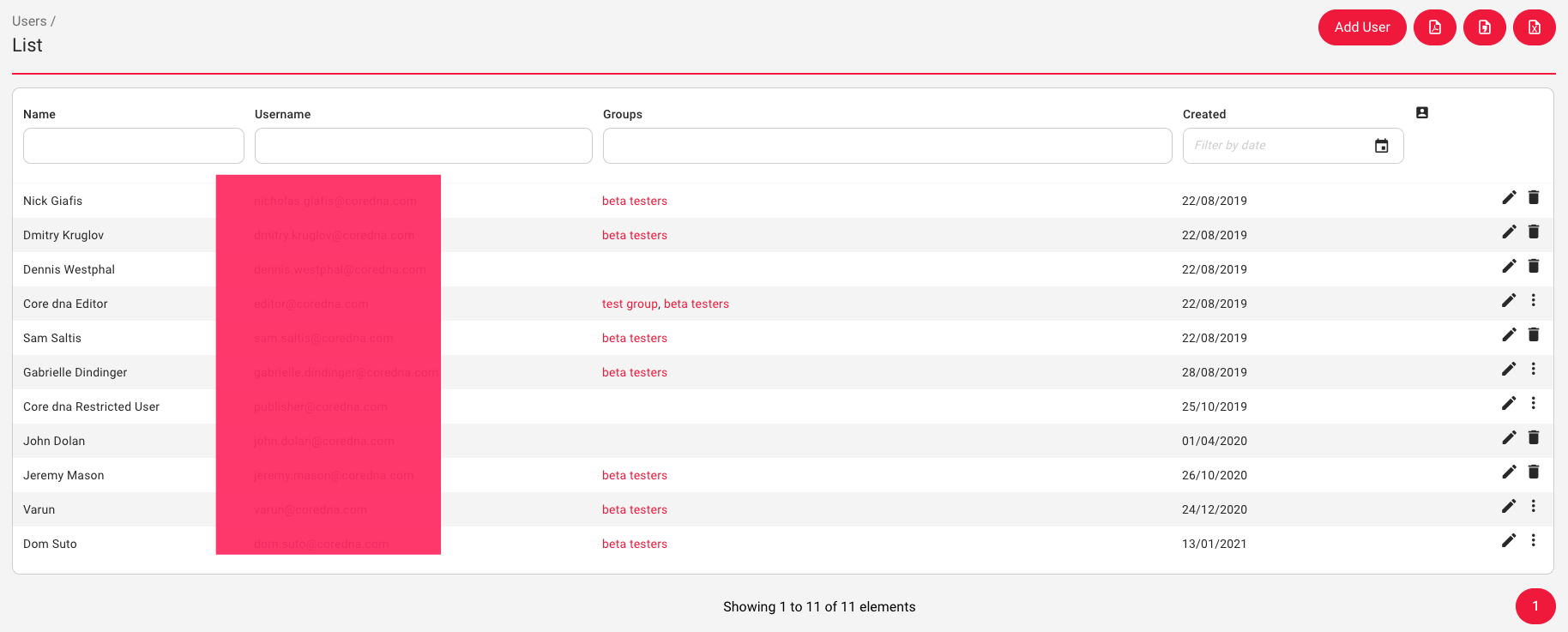
Each segment is unique. Once you have this group of people lumped together, you can use it for marketing purposes.
3. Personalized Content Creation
Create a target market for your product or service. Once you have market segments, you can personalize content and/or price based on user groups. A good CMS will use visitor data to your advantage to provide relevant content that increases user satisfaction.
Site attributes features
It’s only natural that usability is a vital aspect of a quality CMS. So check out the site attributes you should keep an eye out for.
4. Intuitive site navigation & search function
Without site navigation, your users can’t figure out where anything is. Website navigation allows your browsers to find what they’re looking for quickly.
If it takes more than a couple of seconds to find something, rest assured they’ll move on to a competitor site.
And another insider’s tip; people love search functions. Consumers expect to do a quick search on your site and immediately find what they’re looking for.
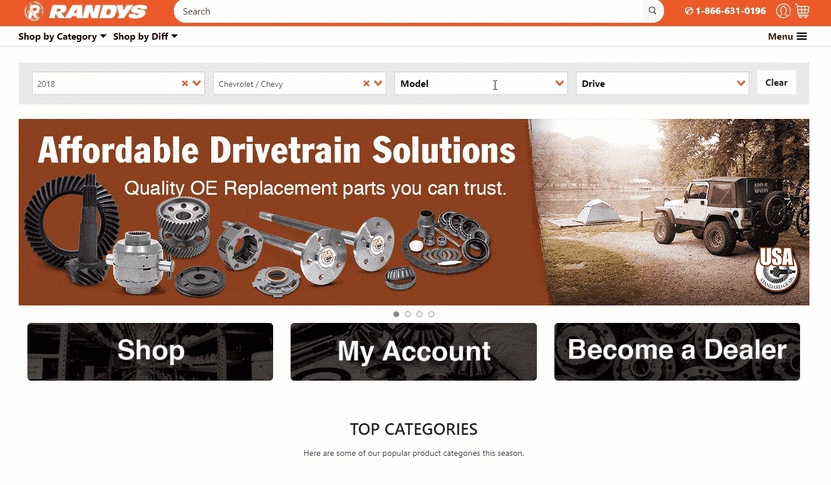
(One of our customers, Randy’s, their users are care mechanics and engineers, so they’re making it easy for them to find the parts they’re looking for)
5. SEO basics
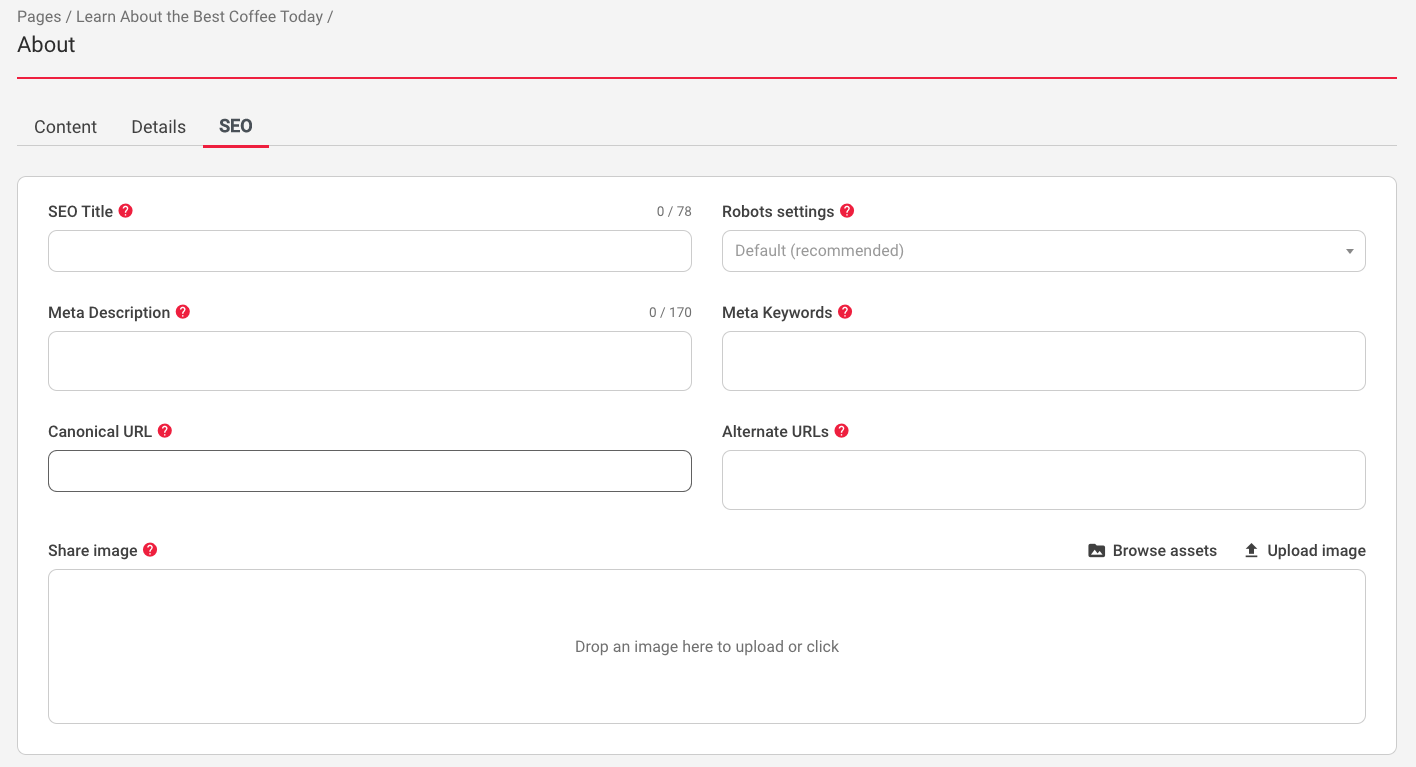
SEO capabilities are essential to boost your ranking on search engines. Google should crawl your website’s pages, understand what your site is about and link the pages to relevant keywords.
If you want your website to rank on Google’s top 10, look for these top 3 SEO basics in a CMS.
- Customizable URLs: You should have the opportunity to make your URL SEO-friendly.
- Canonical tagging: You should add a canonical tag if you have similar content on your site. For example, let’s say you have an eCommerce store that sells T-shirts. Most of your products are similar but have slight differences; canonical tags allow search engines to know there’s a similar copy to avoid “duplicate” content appearing on multiple URLs.
- Image optimization: Make sure your site looks good! Optimized web images provide top-quality images in the proper format, dimension, and size.
6. Personalization
Showcase your products or services according to the needs of your target audience. Content personalization offers a better user experience while targeting specific content to specific people.
Just like you probably wouldn’t buy your vegan friend a burger, you can tailor experiences and communications based on what your audience cares about.
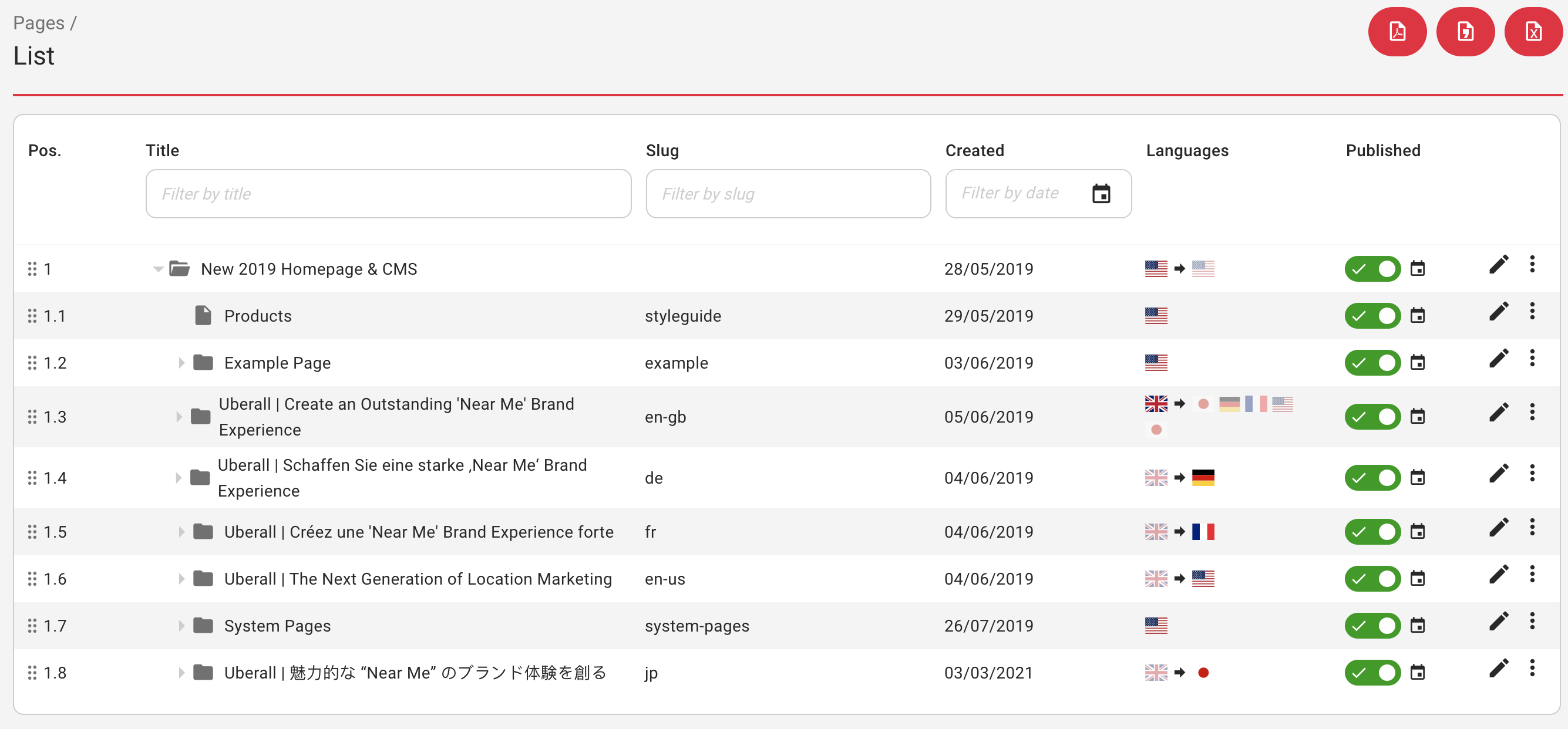
7. Multi-language and multi-site
Your CMS platform should be able to reach global audiences with multilingual sites. Connect with your global audience in their native language.
If your websites have various languages, a good CMS will configure the languages of each site when you edit the languages of all of your sites at once.
Administrator attribute features
As the site owner, you want a CMS platform that will make administrative tasks manageable and straightforward. Below are the features that will make your day-to-day a whole lot easier.
8. Schedule posts & pages
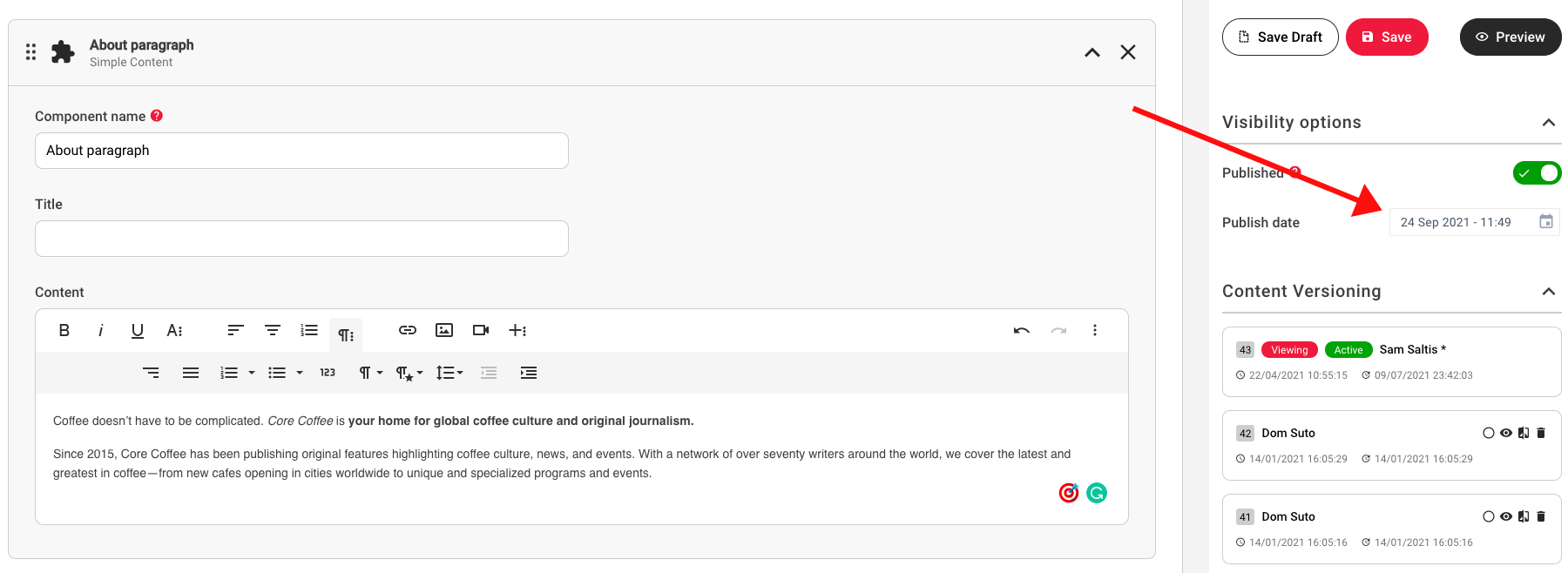
Your CMS system should help you organize your workflow. Set posts and pages to be automatically published. Admins can select a specific date and time in the future for the post to be published.
9. Content workflow
With a content workflow, you can set roles and permissions for various users. Regardless of the type of content that needs to be delivered, you should be able to create workflows for Approval, Approved, Published, and Archived content.
10. Preview content
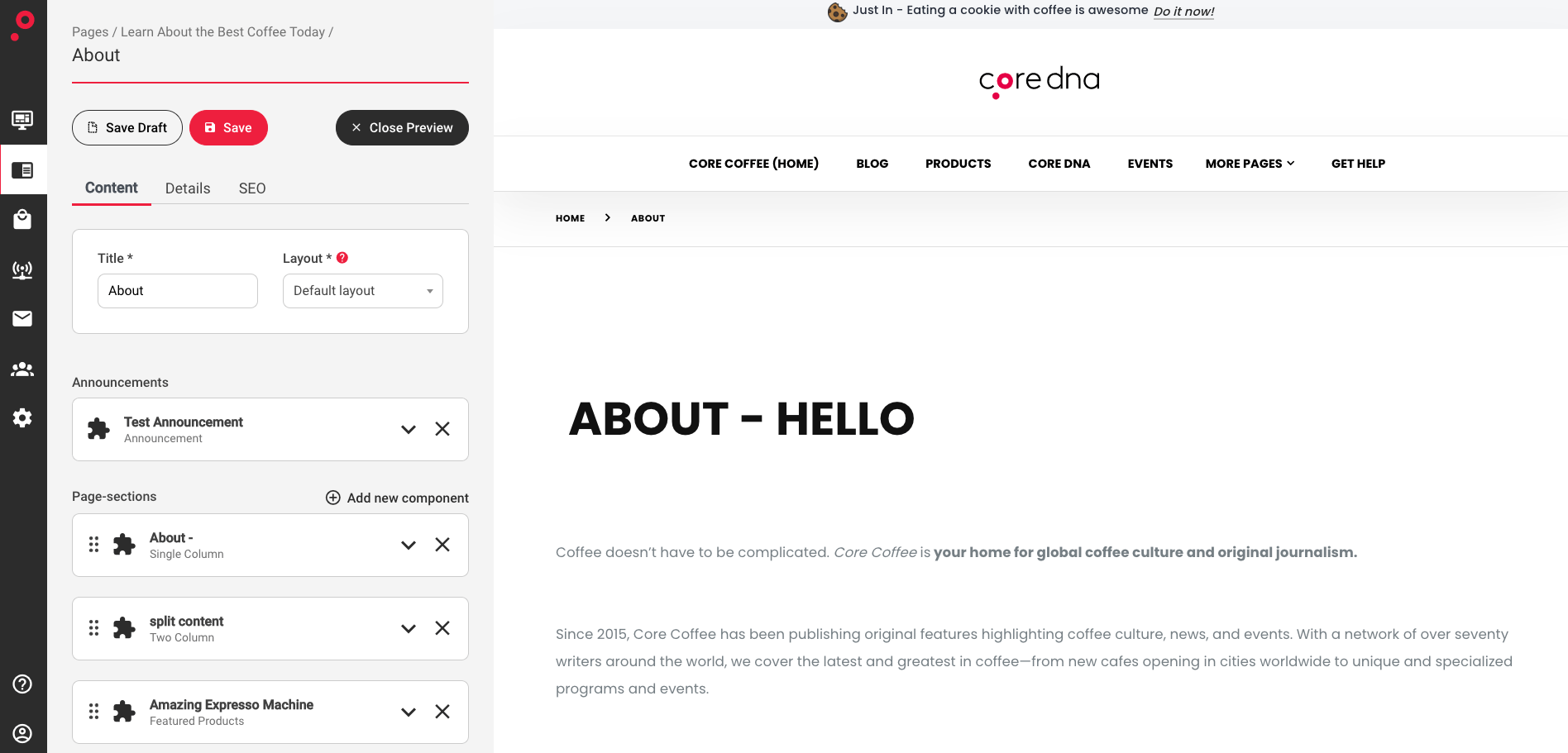
Never blindly publish content. A good CMS platform will have a preview feature so you can see what any piece of content will look like for the end-user before you hit the publish button.
11. Rich text & HTML editor
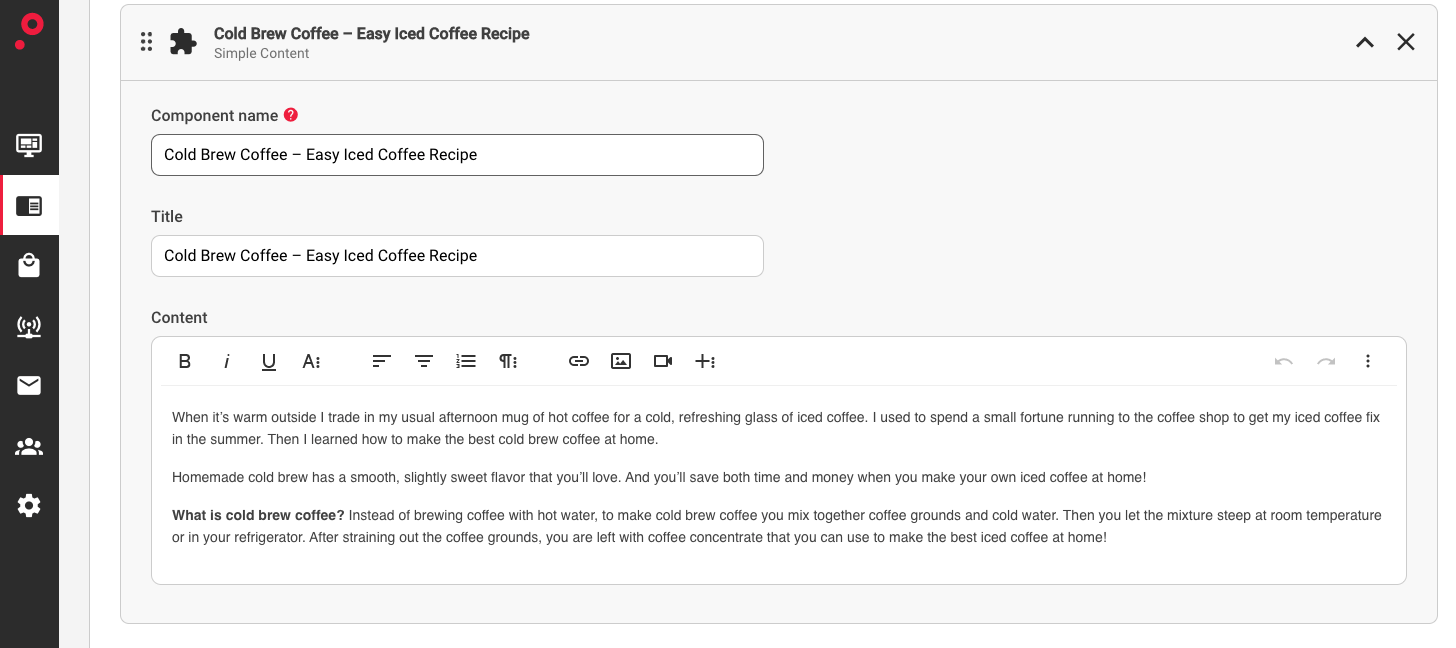
If you’re not a coder, WYSIWYG (What You See Is What You Get) allows you to edit content as it would look when printed or displayed as a finished product on your website. Look for a CMS with a modern WYSIWYG editor that is extendable.
Integration attribute features
As customers go through their shopping journey on your website, every interaction matters. You want to edit and manage content on every page of your store to create a tailor-made, pleasant experience. The following will help you achieve it.
12. APIs
Look for APIs that go across the CMS and eCommerce platforms. API CMS allows you to manage and access content from various applications using an API.
Think of an API like the middleman between the CMS and eCommerce platform that connects for a specific task.
13. Integrations with other apps or software
CMS systems should simply integrate with an existing system. CMS integration is how to add CMS capabilities to an existing website. If you’re using a legacy system, be sure the CMS provider you use can integrate smoothly.
14. Synchronize with your CRM
Stop going back and forth between symptoms. It’s unnecessary and time-consuming. CRM integration allows for seamless connectivity between your CRM software.
Check out a few standard methods of CRM integration most companies prefer:
- Email integration
- Calendar integration
- Social media integration
- Marketing automation integration
15. Workflow trigger
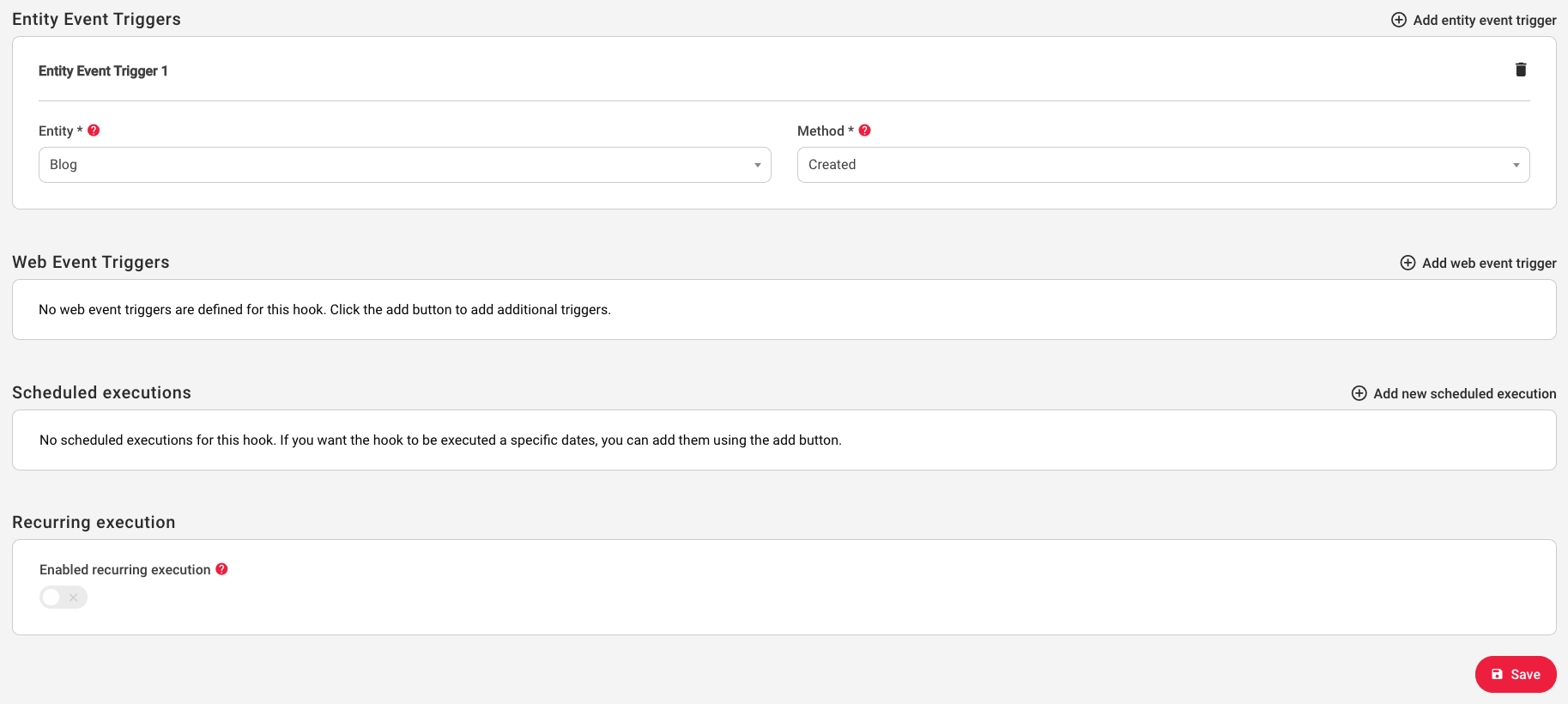
Another feature you want in a CMS platform is a workflow trigger. Triggers encourage action in the workflow process.
Each trigger is based on a specific activity like content download, visiting different parts of the website, adding an item to a cart, requesting more info, and more.
The trigger takes the user from the source step to a destination step.
Scale attribute features
Can your CMS handle a massive surge in traffic? If your CMS can’t check off all the boxes below, it might be time to consider another one.
16. Consistency
A good CMS will boast consistent treatment of customers and interactions across the platform. When there’s a traffic surge, your CMS infrastructure should be able to deal with it efficiently.
17. Shared data (CDN)
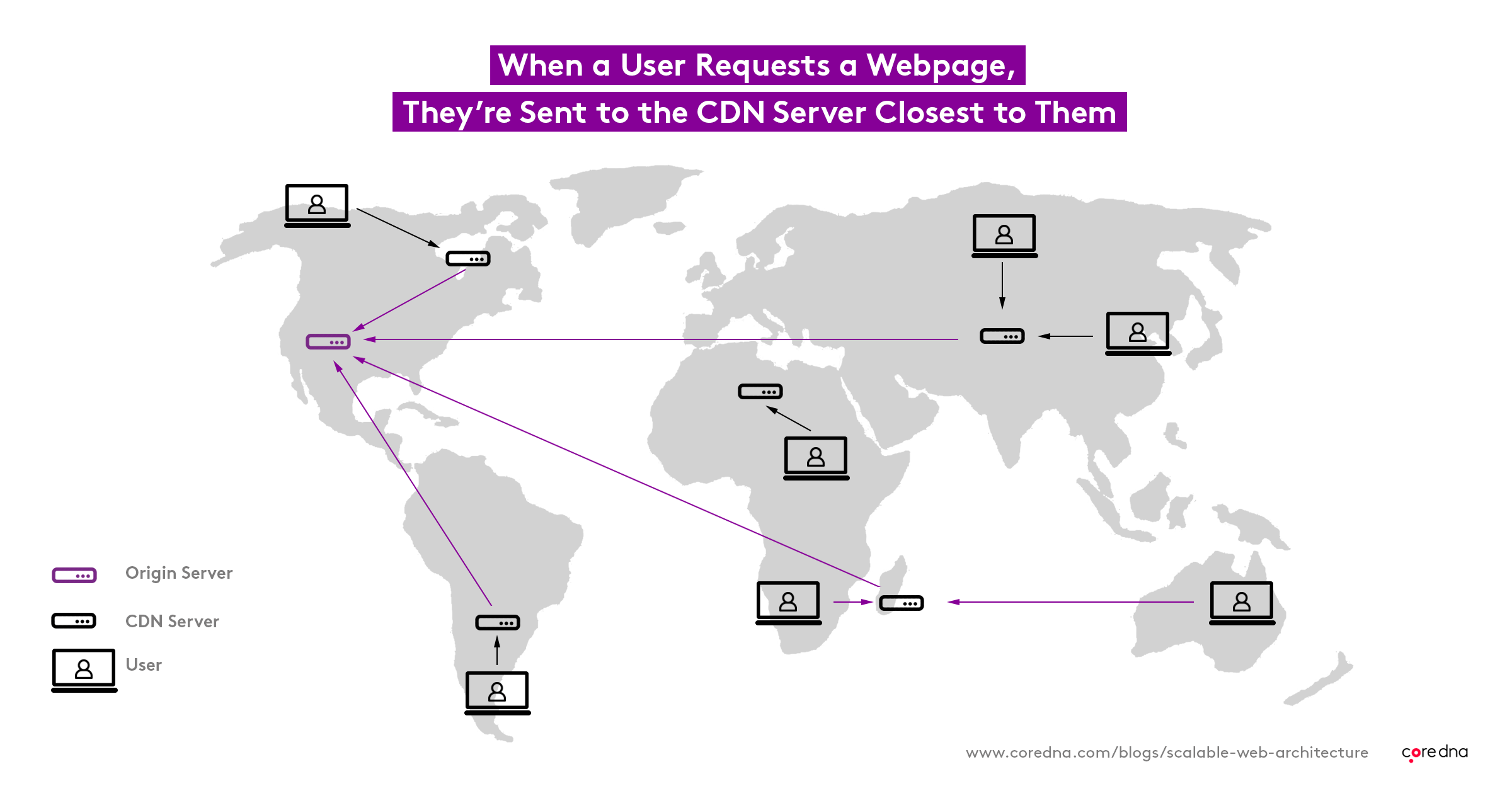
Look for a CDN (Content Delivery Network) to share data between systems. A CDN platform works by distributing large amounts of data across the globe.
For example, traffic for a website is delivered to the closest data center to the originating request – whether it’s Amsterdam, New York, or Dubai.
18. Flexibility
You should have preference flexibility across products and content. Content management challenges will arise. Increased flexibility and scalability provided by CMS solutions will make your life that much easier.
19. Omnichannel
Deliver content to any channel, no matter what new device enters the market. Solid content infrastructure can take your omnichannel strategy to the next level.
How? An omnichannel strategy allows your customers to consume content on their preferred channels of engagement. As a result, content creation and management become a blended experience across all channels and devices.
20. Load balancing
Your CMS system should have a load balancing layer. The ‘balancer’ directs client requests to maximize efficiency while preventing servers from becoming overburdened.
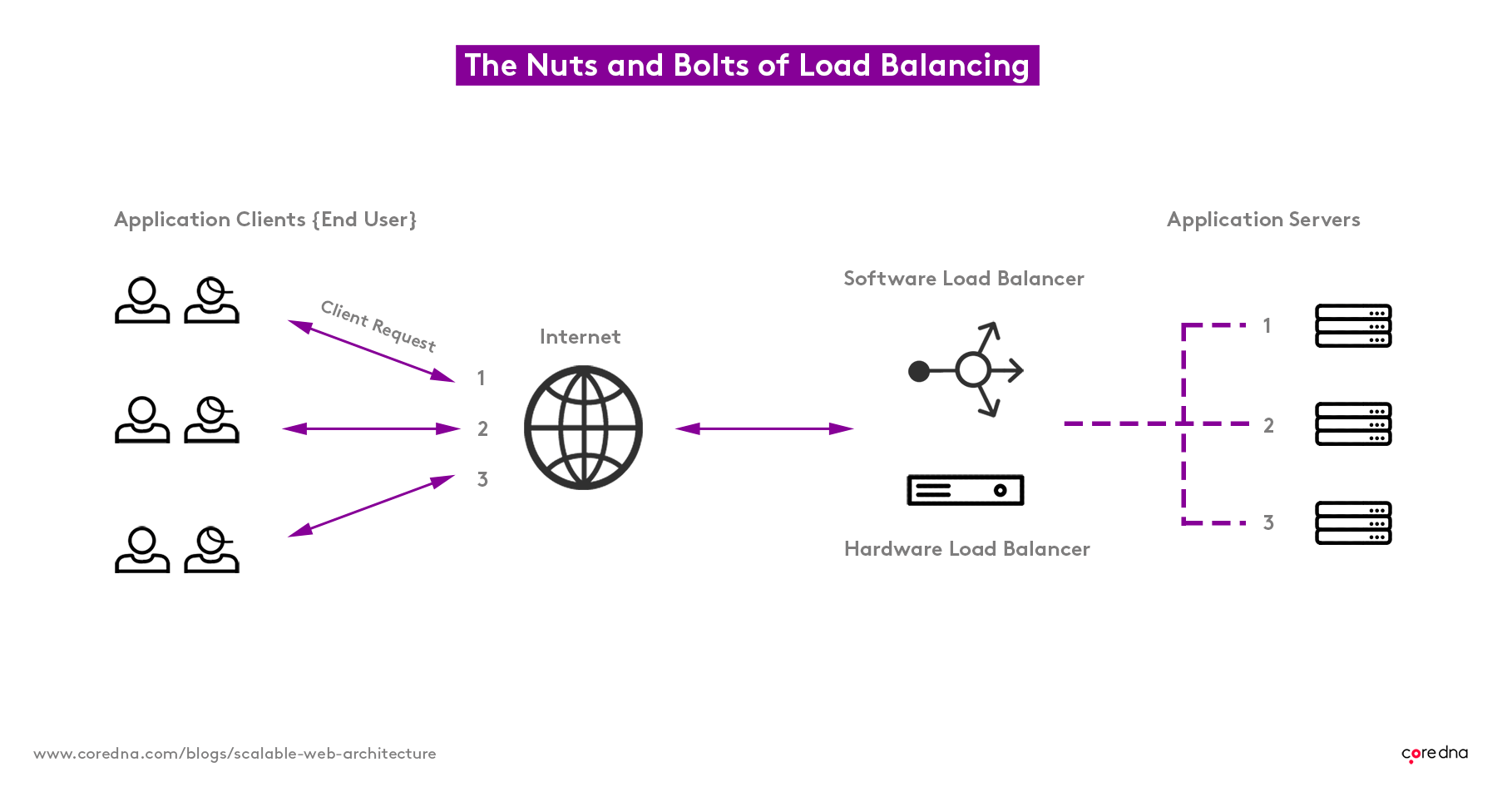
The layer can detect when a server is compromised and won’t drive traffic that way. With load balancing, even if a server fails, the end-user will be none the wiser.
Security attribute features
Millions of websites are vulnerable to malicious online hackers. Maximizing the security on your site doesn’t just protect your sensitive information – it protects your customers and your reputation.
Different content management systems have different security attributes. Look for the following built-in features for the best security practices.
21. Patched and maintained by the CMS vendor
Patch management helps repair any flaws or weak points identified. In addition, updates help patch security flaws.
Your CMS vendor should have an in-house patch management policy that follows the guidelines and requirements for proper vulnerability management.
Hackers LOVE open-source CMS. You should be able to trust your CMS provider is continually testing, deploying, and documenting security patches.
22. Web Access Firewall (WAF)
For better security, you want a platform secured by a Web Access Firewall, or WAF for short. A WAF helps protect a website by inspecting and filtering traffic. A WAF will defend web applications from malicious activity or attempted attacks faster than a hacker can say ‘web access firewall.’
23. Bug bounty program
Bug bounty programs allow ‘ethical hackers’ to test a website, app, or software for security vulnerabilities. Bounty hunters detect and submit bugs, so malicious hackers don’t have the chance to compromise your security.
24. Penetration testing
Pen testing identifies security weaknesses in a simulated cyber attack. A cyber-security expert will find and exploit vulnerabilities in a system that an attacker could take advantage of. The goal is to eliminate flaws before hostile hackers discover them.
26. SSL certificates
SSL certificates keep data safe as it travels through the interconnected internet web.
Details get distorted and become unreadable to hackers. Things like credit card details, passwords, and other sensitive information must be encrypted to thwart eavesdropping hackers.
27. Multi-layer infrastructure
Why not filter out malicious requests before they hit the server? When you spread out infrastructure, your website will be more likely to handle a Denial of Service (DoS) attack or an effort to shut down your site by overwhelming it with more requests than your server can handle.
Your CMS provider should offer you a degree of protection. A multi-layer infrastructure acts as a giant barrier capable of facing tremendous volumes of traffic
28. Log analysis
Hackers are dying to get their hands on your database. Databases are a goldmine of usernames and matched passwords of a site’s account holders.
Log analysis monitors login attempts. If the system notices any unusual or suspicious behavior from a single IP address, you can shut down their activity.
Return on investment features
If you’re spending money on a CMS, it should be worth it. To ensure you see a positive ROI, be on the lookout for the following.
29. Consistent integration
Effective content management systems should allow integration with other systems, including:
- Marketing
- Analytics
- Databases
- Customer support
- Sales
- Social media
- Project management
If you already use a CRM, ERP, or web analytics program, you’ll need to consider a CMS that integrates with existing online marketing software. You want your CMS to easily integrate with your other tools to better your overall marketing strategy.
30. Out-of-the-box features
A stellar CMS will have all the bells and whistles – without the need for plugins or custom coding. In the world of online experiences, it’s a race to capture your customer’s attention.
If you’re not a coder, figuring out what goes on behind the scenes of your website can be incredibly frustrating. Out-of-the-box features work immediately without any special configuration or modification.
Flexible out-of-the-box elements, whether it’s an extensive library of add-ons, robust features, pre-installed modules, page navigation, or search teasers, easy-to-use, intuitive CMS platforms can save time and increase productivity.
Create better user experiences without coding or customization work. Out-of-the-box features are essential building blocks to help you create the site you need.
31. Single codebase
One product, one codebase helps reduce errors and provides better ongoing management. Single code base has teased app developers for years.
There is a widespread belief that single codebase applications don’t perform as well compared to native code. But let’s not forget we live in 2021. So naturally, technology has advanced to promise a framework that matches the performance of native development.
One codebase means you can access all the features of an application without having to jump through hoops. Single codebase applications give a uniform feel across all the devices and operating systems.
32. Consistent architecture
For many site owners, the underlying infrastructure isn’t at the top of the priority list – but should it be?
CMS architecture relates to the design and implementation of frontend and backend processes within CMS systems. Consistent CMS architecture will help ensure maximum performance, security, and service delivery.
After all, a CMS is designed to help you streamline the creation and distribution of website content.
While the frontend and backend relationship of your site may not be relevant on a day-to-day basis, the CMS architecture should be strong enough that you don’t have to worry about the design and implementation of frontend and backend processes.